MaintainedJapanese study · Applications
Japanese Flashcard Generator
A small app that turns photos of Japanese study materials into reviewable Anki flashcards using OCR and language models.
4 min read
- card modes: vocabulary, kanji and grammar
- 3
- Gemini models to choose from (October 2026)
- 6
- Gemini charges for one Vocabulary test run on Gemini 3.8 Flash, 9 October 2026
- ~US$0.02
- automated tests passing on the live version (October 2026)
- 37
Technology
- Python
- Streamlit
- Google Gemini
- google-genai
- Pydantic
- Pillow
- LLMWhisperer
- pytest
Why I built it
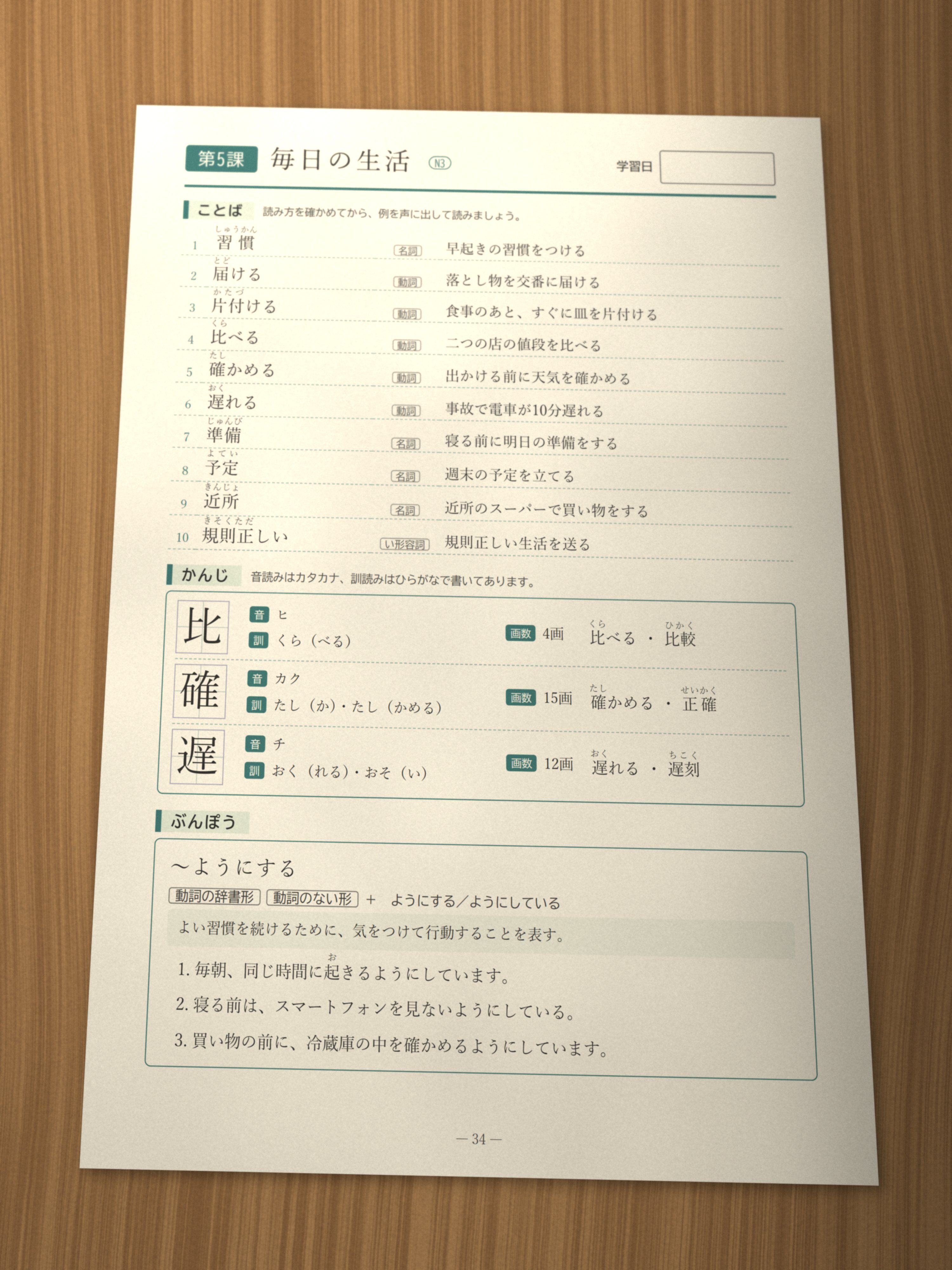
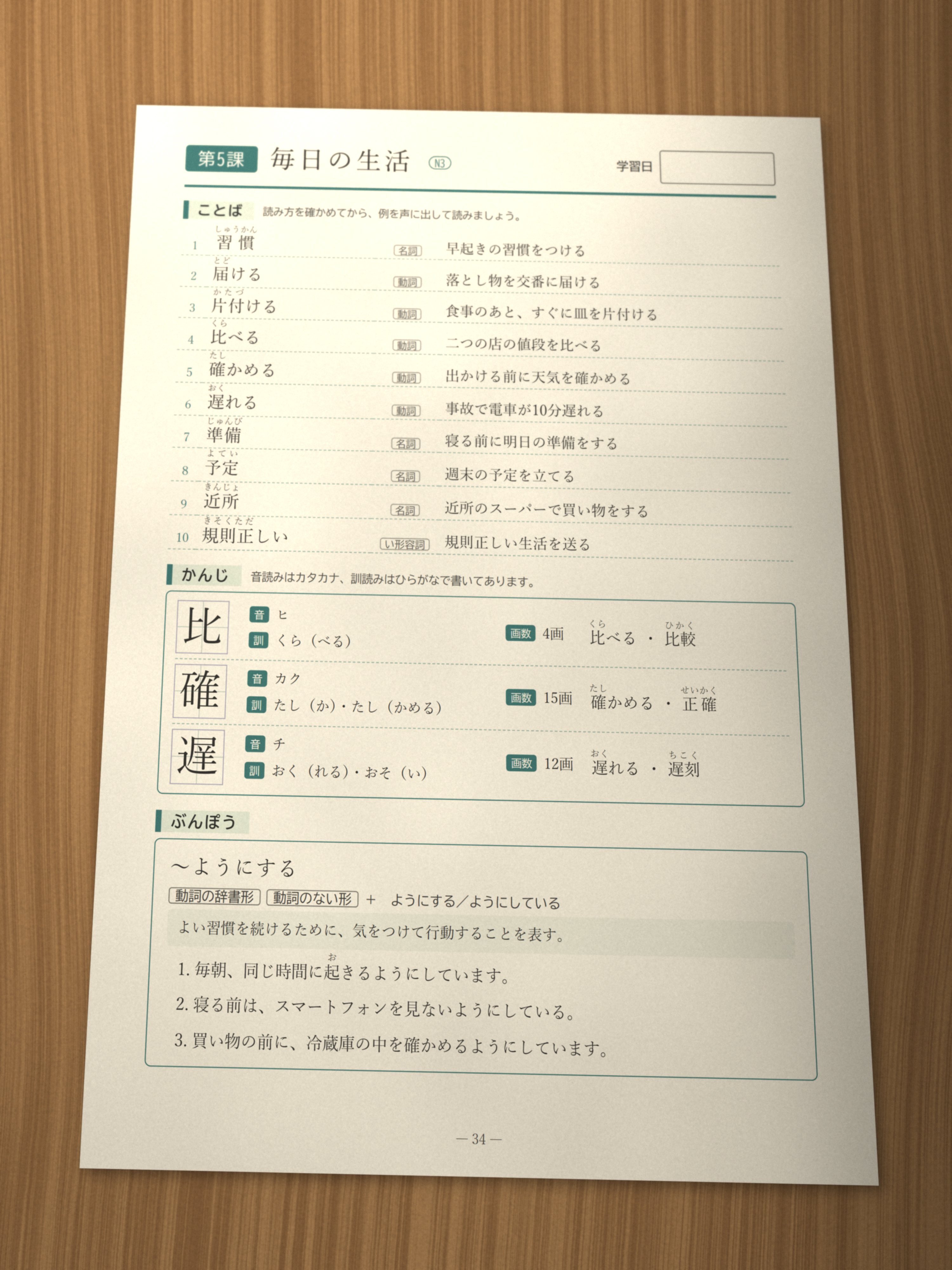
Making flashcards by hand from my Japanese study pages was slow. The text in a photo or a scanned page can’t simply be copied, so I’d photograph a page of vocabulary or grammar and then type each item into Anki. So I built a small app that does the typing for me.
It also works with anything I can photograph on my phone, such as a restaurant menu or a billboard, so one photo is enough to make flashcards from the words I want to learn. That was useful when I first moved to Japan: I often saw words I couldn’t read yet and wanted to practise them.
It’s open source, and anyone can use the live version with their own API keys.
How it works
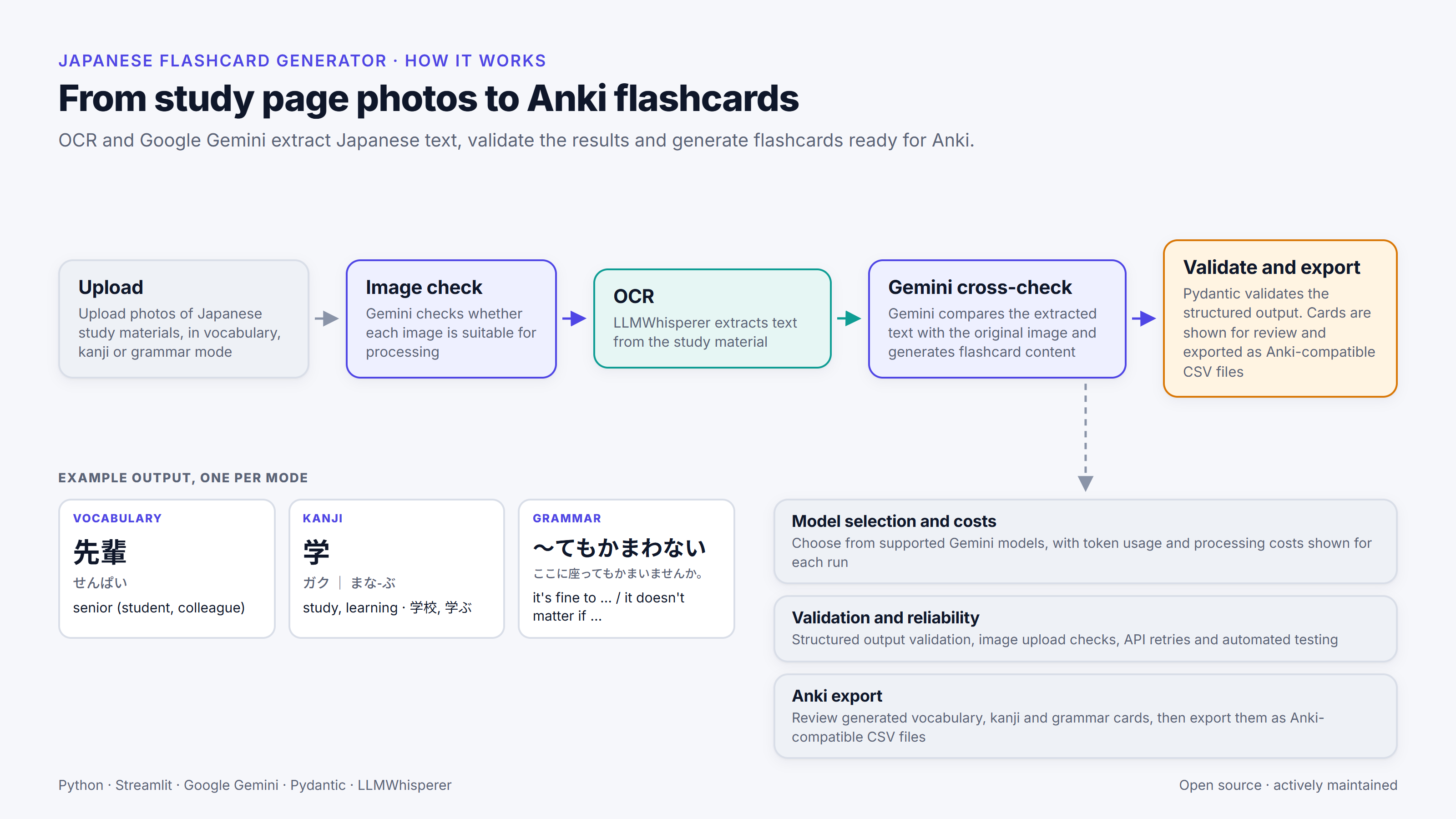
The app has three modes. Vocabulary cards give the kanji, the reading and the meaning. Kanji cards give the on and kun readings (the Chinese-derived and native Japanese readings) with example words. Grammar cards give the pattern, an explanation and example sentences.


What the recording shows
- Upload a photo of a study page.
- Generate Vocabulary, then Kanji, then Grammar cards.
- Review each card table.
Each run goes through a short pipeline:
- Upload. Photos are checked for format, size and file count, with a guard against decompression bombs, before anything is decoded.
- Image check. A Gemini call skips photos that aren’t usable study pages, before any OCR is paid for.
- OCR. LLMWhisperer extracts the text from a copy of the photo with its location data removed. Removing the metadata doesn’t touch the image data itself.
- Gemini cross-check. Gemini compares the extracted text with the original image, optionally guided by example pages and your own instructions, and writes the card content.
- Validate and export. Pydantic checks the structured output against a schema for each mode. That confirms the structure of each card, but it can’t tell whether the Japanese is correct, so the cards are shown as a table for you to review before you download them as a comma-separated text file that Anki imports.
What the recording shows
- Upload a photo that isn't a study page, with a study page.
- The app skips the photo and says why.
- The cards for the study page are generated as usual.
I use both OCR and a vision model because each has gaps on its own. OCR gets the characters but loses meaning; LLMWhisperer’s layout output, for example, spaces out Japanese characters. A vision model by itself can miss items or invent them. When I first built the app, checking one against the other gave cleaner cards than either did alone. With the most capable models available now, the separate OCR step may no longer be needed.
Try it
To use the live app, you need your own Gemini API key and LLMWhisperer API key, because the app doesn’t come with keys of its own. It takes your keys in password fields and doesn’t save them. The app itself is free, but its API calls use your keys, so Google and LLMWhisperer may charge you for them under your own plans.
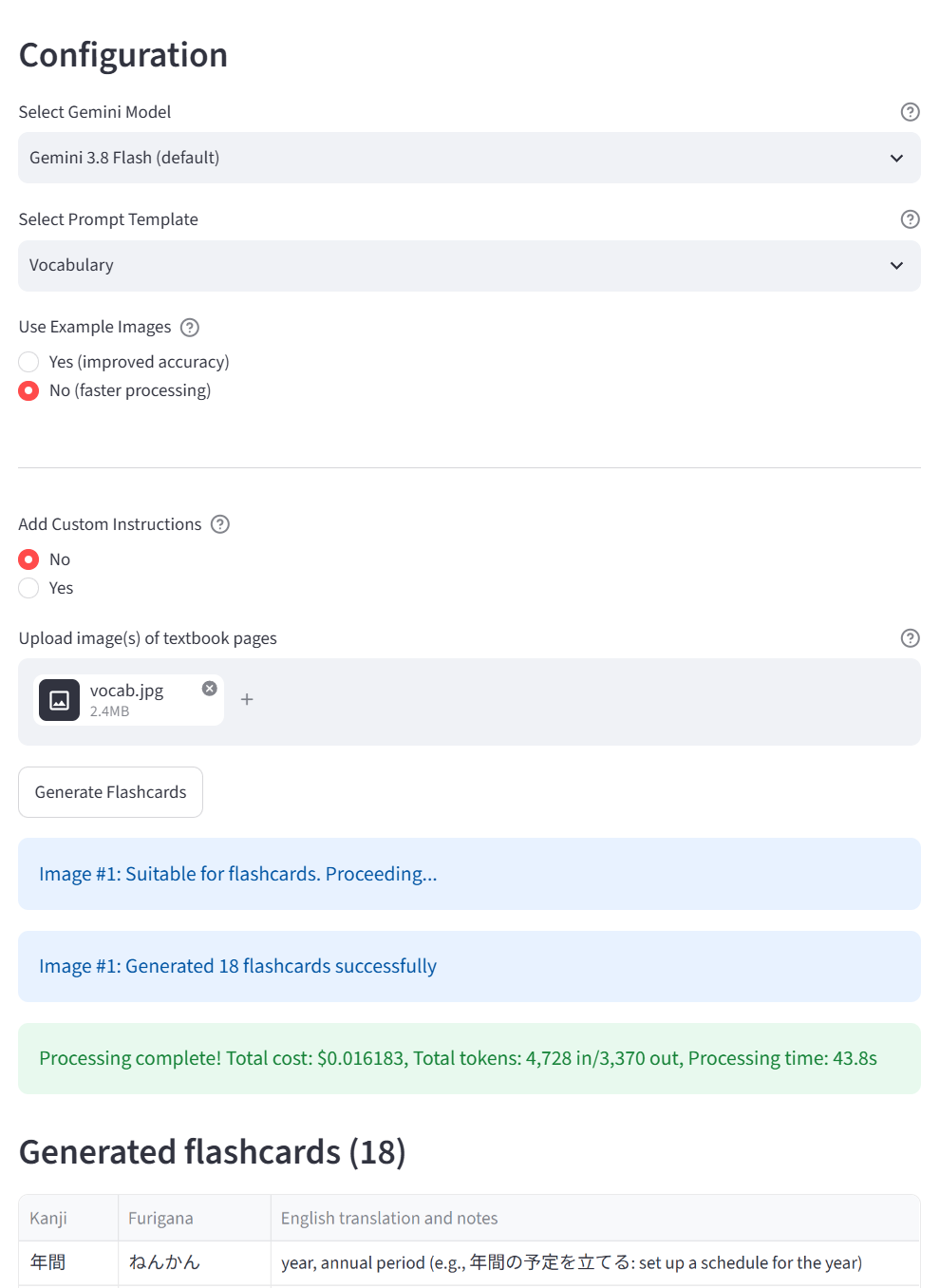
Once your keys are in, pick a mode and a model, upload a photo of a study page and generate the cards. You can also add your own instructions to a run, such as a focus on verbs.
What the recording shows
- Generate the cards for a study page as usual.
- Switch on Add Custom Instructions and type "Focus on the verbs and add an example sentence to each card."
- Generate the cards for the same page again.
- This time it makes 5 cards, one for each verb on the page; the first run made 14.
Check the table, then download the text file and import it into Anki.
What the recording shows
- Download the cards as a text file.
- In Anki, choose File, then Import.
- The cards appear in a deck, ready to study.
The source code is on GitHub under the Apache-2.0 licence.
Keeping it current
By October 2026, Google had deprecated the app’s default model (it was shut down on 1 June 2026), so the app needed what looked like a simple model-string update. Checking the integration turned up more than that, and the work became a proper maintenance release, which I merged and deployed on 9 October 2026.
The app now uses the Gemini 3 generation of models with the current SDK syntax. There are six models to choose from, with Gemini 3.8 Flash as the default and two legacy 2.5 models still available.
Two reliability fixes mattered most. The app had a retry decorator that, it turned out, had never fired; it now relies on the SDK’s own retries. Blocked responses also used to crash the run, and they now come back with an explanation.
Images are now sent inline with the request instead of through Gemini’s file store. That also removed a clean-up routine that deleted every file in the user’s Gemini project. In a test run in Vocabulary mode, with the three built-in example pages plus one study page, the app’s pre-processing before the request went to Gemini fell from about 46 seconds to about 2, and the request size fell by about 90%.
The deployed version passes 37 automated tests: offline tests with fake clients, plus headless UI tests. The retry and clean-up bugs only showed up once the fake clients exercised those failure paths.
I wrote up the details, including the model changes and dated prices, in Keeping an LLM app current. I worked on it the same way I work on other systems, as described in Spec-first, test-first.
What it costs
Each run shows the tokens it used, including thinking tokens, and its cost, worked out from a price registry that records when prices change.
In a paid smoke test on 9 October 2026, in Vocabulary mode with the three built-in example pages plus one study page, a run cost about US$0.02 on Gemini 3.8 Flash (between US$0.019 and US$0.024) and about US$0.0065 on Gemini 3.5 Flash-Lite. Those figures only cover Gemini’s token charges, because the OCR step ran on LLMWhisperer’s free tier. Google’s Standard-tier price for Gemini 3.8 Flash is set to double on 1 January 2027, so the 3.8 Flash figure reflects prices on the test date. Your own costs will depend on the model, the mode and what’s on your pages.
What’s still limited
The cards still need a quick human check before they go into Anki. The schema validation in step 5 only confirms their structure; it can’t tell whether the Japanese makes sense.
With example pages switched on, older and smaller models can sometimes copy the built-in examples instead of reading your page. It’s much less likely with the Gemini 3 series.
The app doesn’t yet let you edit the generated cards before you download them. That’s the next item on my list.
More from the project